Lindro / Blog / Keep Instagram, skip Reels
How to stop scrolling Reels without deleting Instagram (when you need it for DMs or work)
By the Lindro team · Published 18 November 2026 · 7 min read
You can't delete Instagram. Your clients, your friends or your group chats live in the DMs, and you post there for work. The trouble is that every quick reply ends deep in Reels.
The short answer
Keep Instagram and change why and when you open it. Turn off every notification type except messages, check DMs in 3 fixed windows a day, open the app with one job and leave when it is done, schedule posts up to 30 days ahead, and add friction on one device.
Can I keep Instagram for messages and still stop the Reels?
You can keep Instagram for messages, but Instagram's help page on reels says they appear in the Reels tab, Explore and your feed, and it lists no way to switch them off. The fix is the reason you open it: each open gets one job.
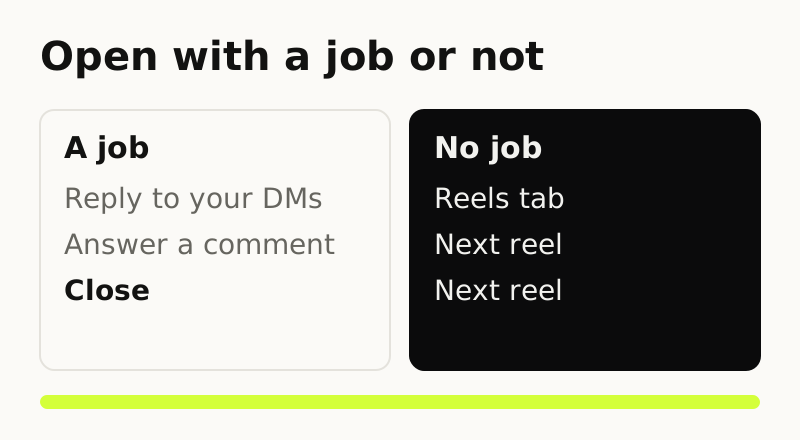
An artist who keeps Instagram for galleries wrote "I also keep it active but reduce my usage and my expectations." The one-job setup has 5 parts:
- Messages-only alerts.
- 3 check-in windows: 3 x 10 minutes = 30 minutes a day.
- A DMs-first route with an if-then plan.
- One posting day that uses scheduling.
- Friction on one device.
Instagram's Reels settings (Snooze, the Following view, Not interested and the daily limit) are on the block Instagram Reels page.
How do I get Instagram notifications only for messages?
Turn off each kind of notification you don't need and leave messages on. Instagram's notification help names no messages-only setting, but its notification help says you can tap a setting below Pause push notifications to turn off those kinds of alerts.
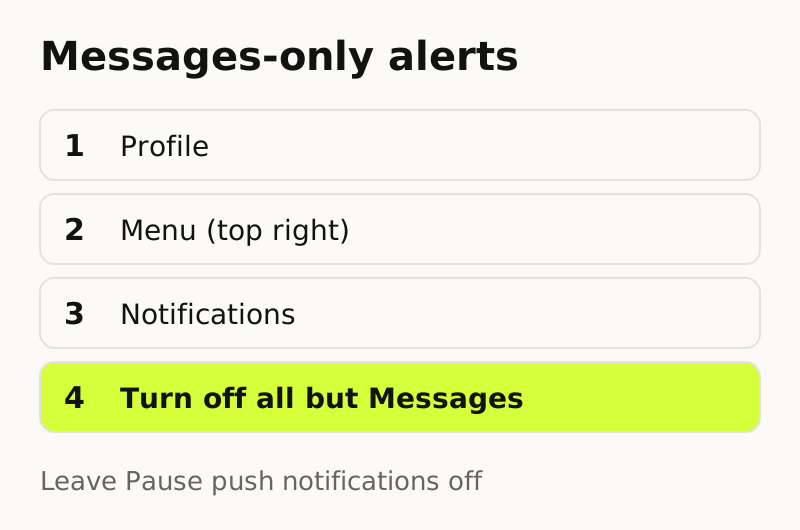
- Tap your Profile, then Menu at the top right.
- Under "How you use Instagram", tap Notifications.
- Leave Pause push notifications off. Pause push notifications is a timed pause for all alerts, so it would mute messages too.
- Open each setting below it and turn it off, one kind at a time. Keep the message settings on.
Notifications from accounts you follow (Posts, Stories, Reels, Live videos) are set from each account's profile, as Instagram's help explains. Then add a second layer on the phone:
- iPhone Focus. Settings > Focus > pick a Focus > Apps > Allow Notifications From. Add Instagram only if you want it to break through that Focus.
- iPhone Scheduled Summary. Settings > Notifications > Scheduled Summary. Turn it on, set the summary times to your 3 check-in windows, then under A to Z turn Instagram on, so the Instagram alerts it holds arrive at those times.
- Android categories. Settings > Notifications > App notifications > Instagram. Tap a category to turn it off.
Sleep mode pauses alerts during the times you choose. The sleep mode help page has the path.
How often should I check Instagram if I need it for work?
Three fixed check-in windows of 10 minutes each is a workable start. That is 3 windows times 10 minutes, or 30 minutes a day, and you can reset the numbers to fit your job.
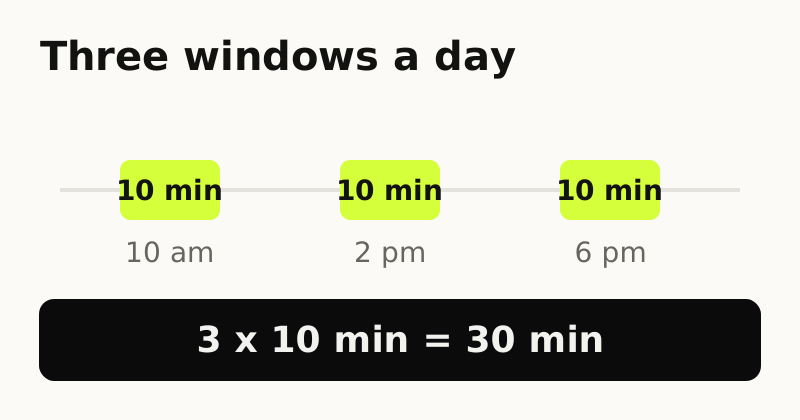
The 2019 study backs batching. The 2018 study backs using less. In a 2019 field experiment with 237 people, getting notifications in 3 batches a day left people feeling more attentive and more in control than constant alerts. Getting none raised anxiety.
In a 2018 study of 143 undergraduates, people limited to 10 minutes per platform per day for 3 weeks felt less depressed and lonely than a group that used social media as usual.
Both studies are small and use students or volunteers. Treat them as a reason to try windows. They do not promise results. Pick windows to match your day:
- Replying to customers: 10 am, 2 pm and 5 pm, around your busiest hours.
- Creator: one window to reply to comments, one to post, one to answer DMs.
- Friend group: lunch, after work and before dinner.
If a message lands between windows, it waits for the next window. If a client truly can't wait, they can call.
Make the scroll cost something.
Lindro keeps Instagram, TikTok and YouTube locked. Each minute inside costs a coin you earn with steps, workouts, reading or finished tasks. Coming to Android and iOS.
How do I open Instagram for DMs without ending up on Reels?
Write one if-then plan and follow the same route every time. An if-then plan names the situation and the action in advance: "If I open Instagram, then I tap Messages first and close after the last reply."
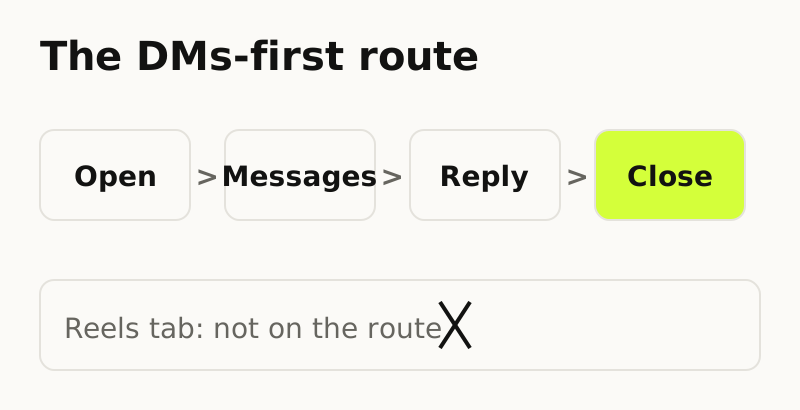
A meta-analysis of 94 tests found if-then plans had a medium-to-large effect on reaching goals (d = .65). On iPhone, Messages sits at the bottom of the screen.
- Open Instagram and tap Messages at once. Don't look at the feed first.
- Answer the threads you came for.
- Close the app after the last reply, before you tap anything else.
- Do long threads on a computer. Instagram.com has Messages on the left, with no phone in your hand.
Can I post for work without scrolling the feed?
Yes, if you schedule posts instead of publishing them live. Public accounts can schedule up to 25 posts a day, up to 30 days ahead, from the app.
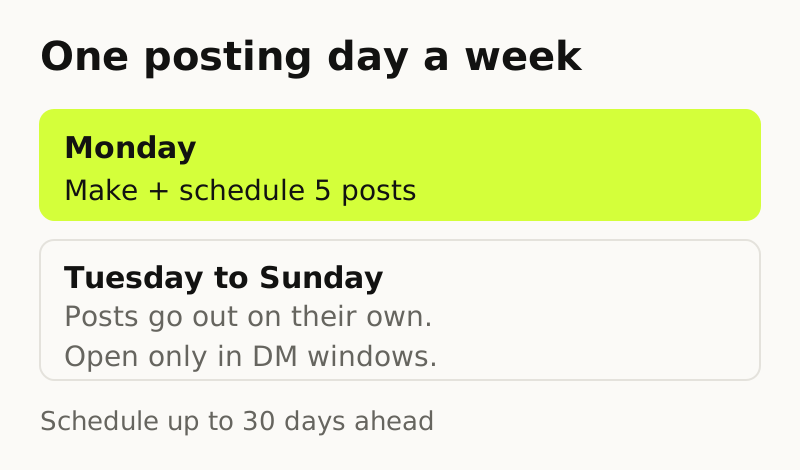
Pick one posting day a week. Create, schedule, close. To check what is queued, open Profile > Menu > Scheduled content rather than the feed.
- Reels: Create > Reel > More options > turn on Schedule this reel.
- Photos: Create > Post > More options > Schedule this post.
- Carousels: the same path, with several photos in one post.
- Can't schedule: product tags, collab posts, sponsored posts and fundraisers, per the same help page.
Does logging out or hiding the app actually help?
Adding a pause before you open an app helps, and logging out or hiding the icon adds that pause. A 2023 study of a pop-up that adds a short wait and a chance to back out before an app opens followed 280 people for 6 weeks.
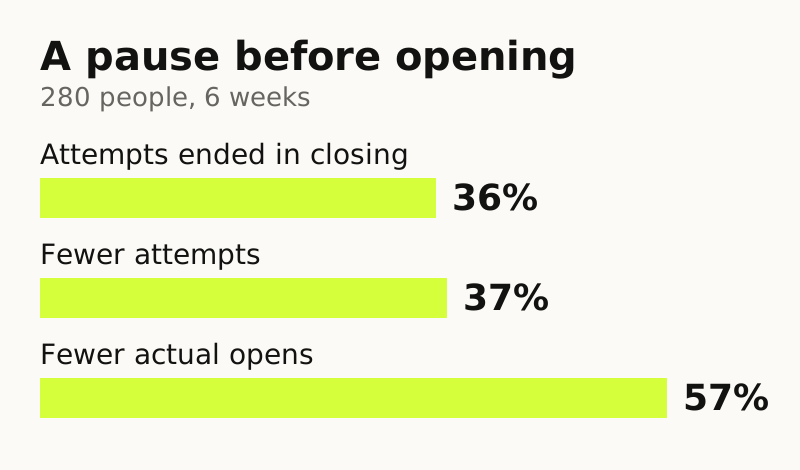
That study tested a pop-up, not logging out, so treat it as evidence that a small pause works. Two ways to add one:
- Log out on the phone. Profile > Menu > scroll to the bottom > Log out. A logged-out phone gets no message alerts, so only do this if you answer DMs on a computer during your windows.
- Remove the icon. Touch and hold the app > Remove App > Remove from Home Screen. It stays in App Library.
What if the routine doesn't hold?
If you still drift into Reels, a whole-app lock with a price per minute fits better than a reminder. Lindro is an app blocker coming to Android and iOS that locks the whole app, so a DM check costs a coin or two.
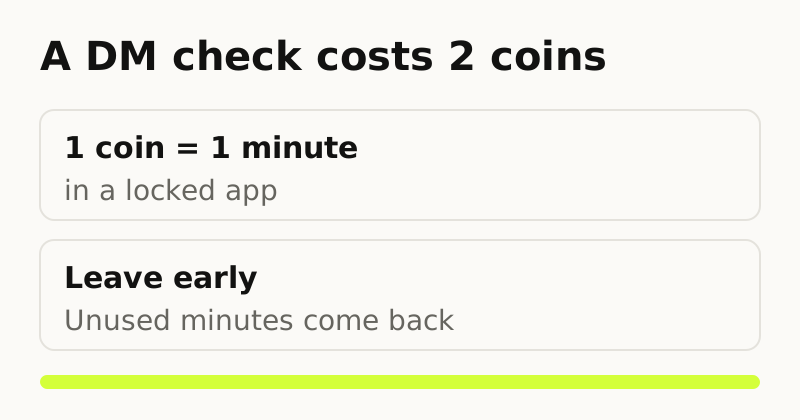
- Leave early and unused minutes come back.
- You earn coins from steps, workouts, timed habits and finished tasks, at rates you set.
- Loosening a rule waits until the next day. Making one stricter is immediate.
- One emergency pass a day costs triple.
Lindro cannot hide only Reels, and it can be uninstalled. It is a strong speed bump, not a prison. It is not released yet: the site is a waitlist. The block Instagram Reels page has the details.
Questions about using Instagram without Reels
Does Instagram sleep mode stop me from scrolling?
For most people, no. Sleep mode pauses notifications and shows a reminder to close Instagram, but you can still use the app. Teen Accounts default to sleep mode from 10 PM to 7 AM, and a parent can block Instagram during it.
Will clients know if I turn on sleep mode?
Yes. Per Instagram's sleep mode page, your activity status changes to "In sleep mode" and the green active dot becomes a moon icon. People who message you get an auto-reply saying you won't be notified, and you get a summary when it ends.
Can an iPhone Focus allow only Instagram messages?
No. A Focus allows or silences whole apps, under Settings > Focus > Apps > Allow Notifications From. Pair it with Instagram's own toggles, with every kind off except messages, so only message alerts get through.
Can I schedule an Instagram DM to send later?
Yes, for text-only messages with no photos, videos or GIFs. Open Messages and a conversation, type the message, tap and hold the send button, choose a date and time, and confirm. Only you see it until it sends, and the time zone follows your device.
Do I need a business account to schedule Instagram posts?
The scheduling help page lists one requirement, a public account. It says nothing here about business accounts beyond that. With a public account you can schedule reels, photos and carousels, up to 25 posts a day and 30 days ahead.